Case studies Automation & Apps · Custom build
Memory and processors, inventoried with a phone camera.
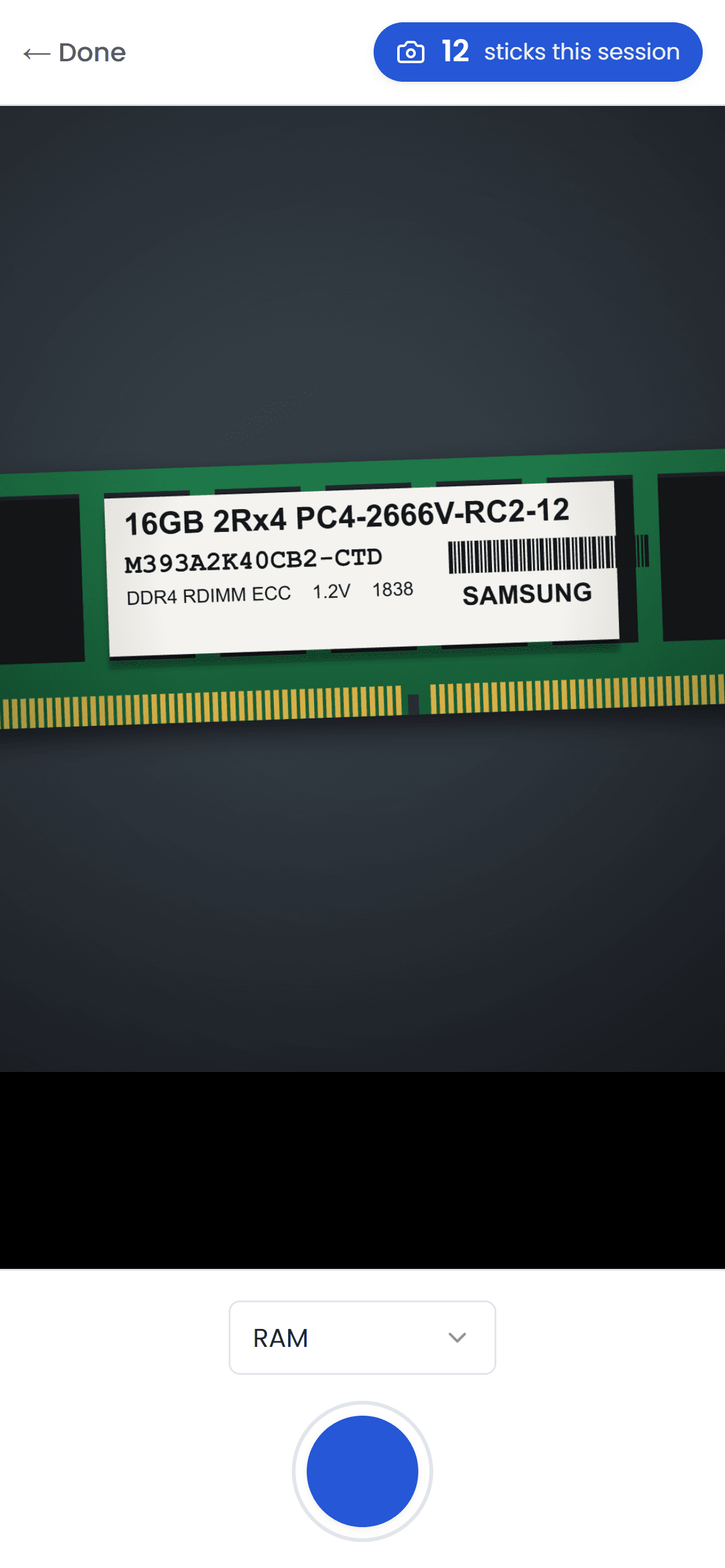
A nonprofit that refurbishes retired business computers sells the memory and processors it harvests in lots. We built a scanning tool that reads each part’s label from a photo. A working version was on their bench three days after the discovery meeting.
A computer refurbishing nonprofit. Name withheld.
Result: In use on the bench
- 206
- memory modules captured in one scanning session
- 3 days
- from the discovery meeting to a working version in use
- 5
- major manufacturers covered by label-matching rules
- Same day
- changes shipped the day they were asked for
Where it started
Years of spreadsheets, each started over.
The nonprofit takes in computers that businesses have phased out, wipes and refurbishes them, and gets them to schools, nonprofits, and families. Parts that cannot be reused whole are harvested: memory modules and processors, sold in lots to component buyers who bid on them.
To bid, a buyer needs to know exactly what is in the lot. That inventory was typed by hand, part by part, into a series of spreadsheets built by successive staff and volunteers over the years: barcode, manufacturer, capacity, speed, form factor, memory type.
01 Discover
Walk the floor, then read the old spreadsheets
An on-site tour, then a working meeting that followed one part from intake to resale and listened for every place the same data was typed twice.
The label already says it
Everything a buyer wants to know is printed on the part: capacity, speed, type, manufacturer part number. The work was transcription.
Every past attempt was a spreadsheet
The team shared the tracking sheets from earlier years. Each had its own columns and its own gaps, and none survived the person who built it.
The bench is the constraint
Scanning happens standing up, with a tray of parts, often by a volunteer on their first day. Anything slower than typing would not be used.
02 Architect
A photo, a catalog, and a correction
The design is three moves, and the third one matters most: every correction a person makes teaches the catalog.
Read
A volunteer photographs the part on a phone. The tool reads the label from the image.
Match
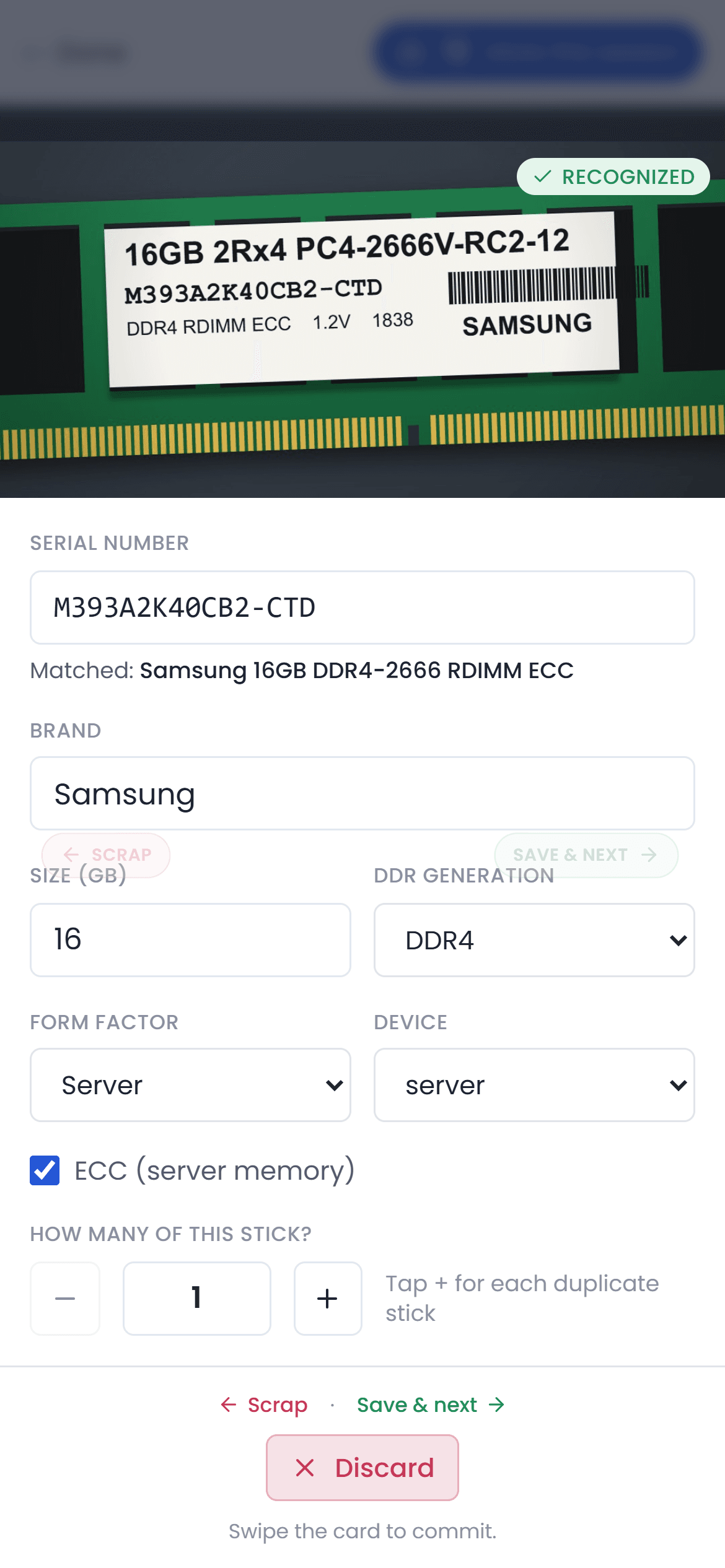
The reading is matched to a catalog item using rules written for each of the five major manufacturers’ part-number formats.
Correct
When the tool misreads, an S for a 5 for example, the person fixes it once. The catalog keeps the fix.
Before
Typed by hand into that year’s spreadsheet.
- 01Pick up the part and find the label.
- 02Type the barcode.
- 03Type manufacturer, capacity, speed, form factor, and type.
- 04Repeat for every part in the tray.
- 05Rework the sheet into something a buyer can bid on.
After
A phone at the bench.
- 01Scan the station’s QR code to start a session.
- 02Photograph the part.
- 03The tool reads the label and matches the catalog.
- 04Confirm, or correct a misread once.A person decides
- 05Mark keep or scrap.A person decides
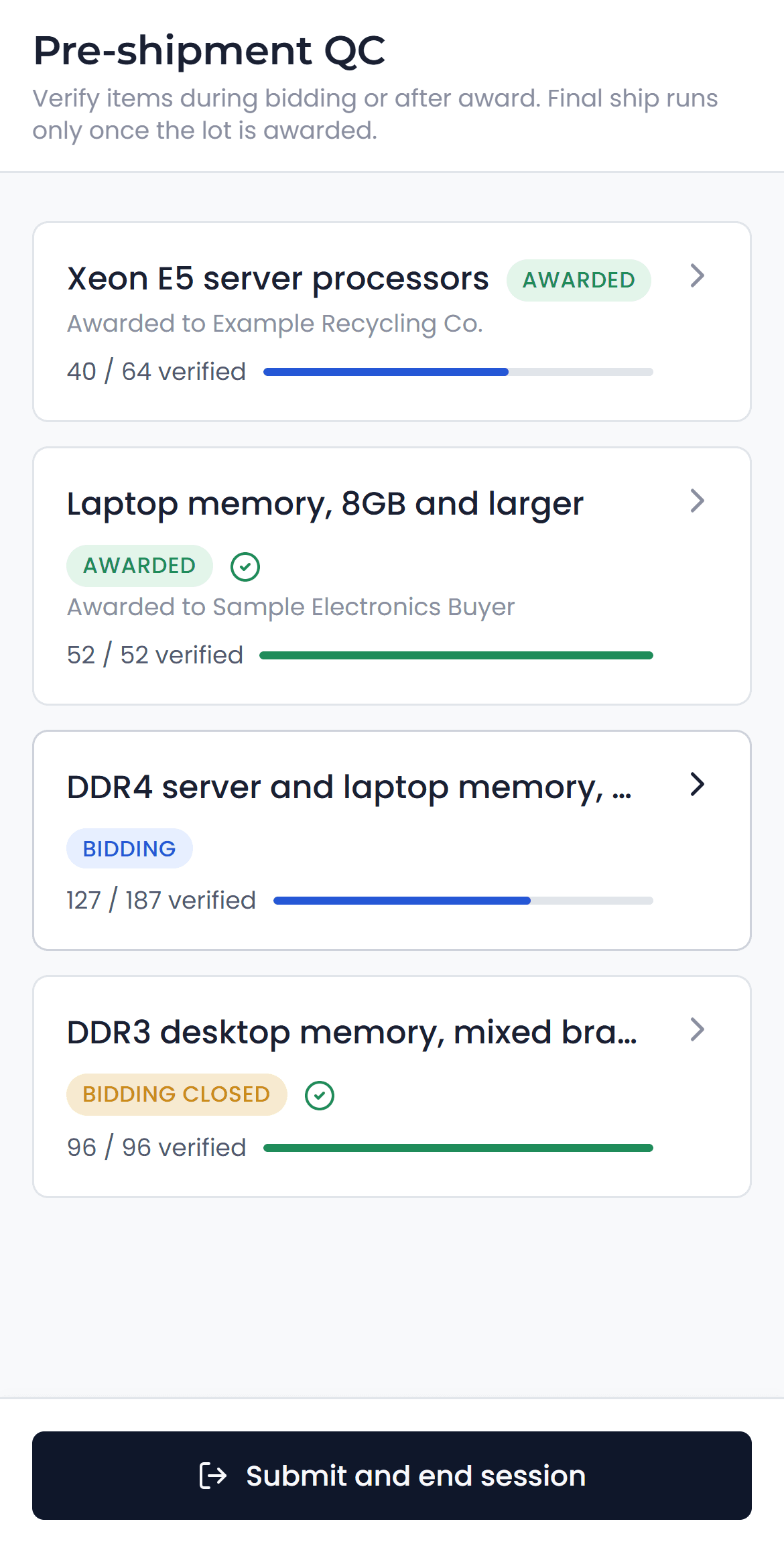
- 06Group the session into a lot and invite bids.
03 Build
Built at their table
A hosted web app with email sign-in links for staff and a QR code at each scanning station. Changes shipped the same day they were asked for.
Scan sessions and inventory
Each sitting is a session. Inventory filters live by any field or by session and exports to a spreadsheet for anyone who still wants one.
Lots and bids
Scanned parts are grouped into lots. Vendors on a list can be invited to a bid page that works like the spreadsheet they are used to.
Keep, scrap, and check
A keep or scrap decision per part, a quality check workflow, and an admin role. We tested volume on site and rewrote the matching rules from what the bench showed.
04 Result
In use on the bench
The tool is in use on the bench. In one session, 206 memory modules were captured, each read from a photo and matched to the catalog.
A working version was in the team’s hands three days after the discovery meeting, and changes shipped the same day they were asked for.
“The RAM tool is helpful.”
This is Automation & Apps (CoBuild). Custom automations and internal apps, built in weeks with your stakeholders in the room and anywhere from none to four of your people at the keyboard, on tools and accounts you own.
More case studies
All case studiesAI Training · Cohort
An aerospace manufacturer
A marketing team stops renting badge scanners.
Inside an aerospace manufacturer’s automation cohort, the marketing team mapped what trade-show lead capture cost them each year, then replaced rented badge scanners with a phone form that puts each lead straight into the CRM.
About $80,000 a year, the mapped cost of the old process
Automation & Apps · CoBuild
A shipping container company
An operations lead builds his company’s platform.
A three-person shipping container company wanted one system in place of a patchwork. Their operations lead builds it. We review the architecture, set the pace, and teach the toolchain as it is needed.
13 weeks from first session to a live web inquiry landing in the new system
Automation & Apps · Custom build
A healthcare benefits company
One source of truth for a healthcare benefit, built for HIPAA.
A healthcare benefits company sold through brokers was running sales and member eligibility across five tools and more than ten spreadsheets. We built a CRM and a census management system on one data layer, with protected health information designed in from the first schema.
15 of 15 high-severity security audit findings fixed before release
Automation & Apps · Custom build
A studio furniture maker
A new storefront the team can run without us.
A maker of sculptural studio furniture had outgrown a stock store theme. We rebuilt the storefront around the craft, kept the existing checkout, handed over every account, and wrote the guide that lives inside the admin.
100% of code, hosting, database, and email in the client’s own accounts
Have a process like this one?
Thirty minutes on a call. Bring the process that is eating your week. You will leave knowing which way of working fits, or that none does yet.
Prefer email? erik@civic-dialog.com